
Submit Transactions for Approval
How to Submit Transactions for Approval
The Review page within the Approvals Tab, allows you to submit transactions for approval all in one place under section “Needs Submission.”
-
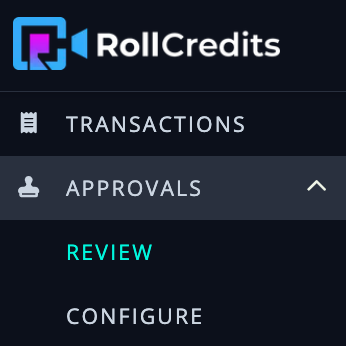
Go to Approvals tab and click on “Review”
Go to Approvals tab and click on “Review”
https://app.rollcredits.io/approvals/review
-
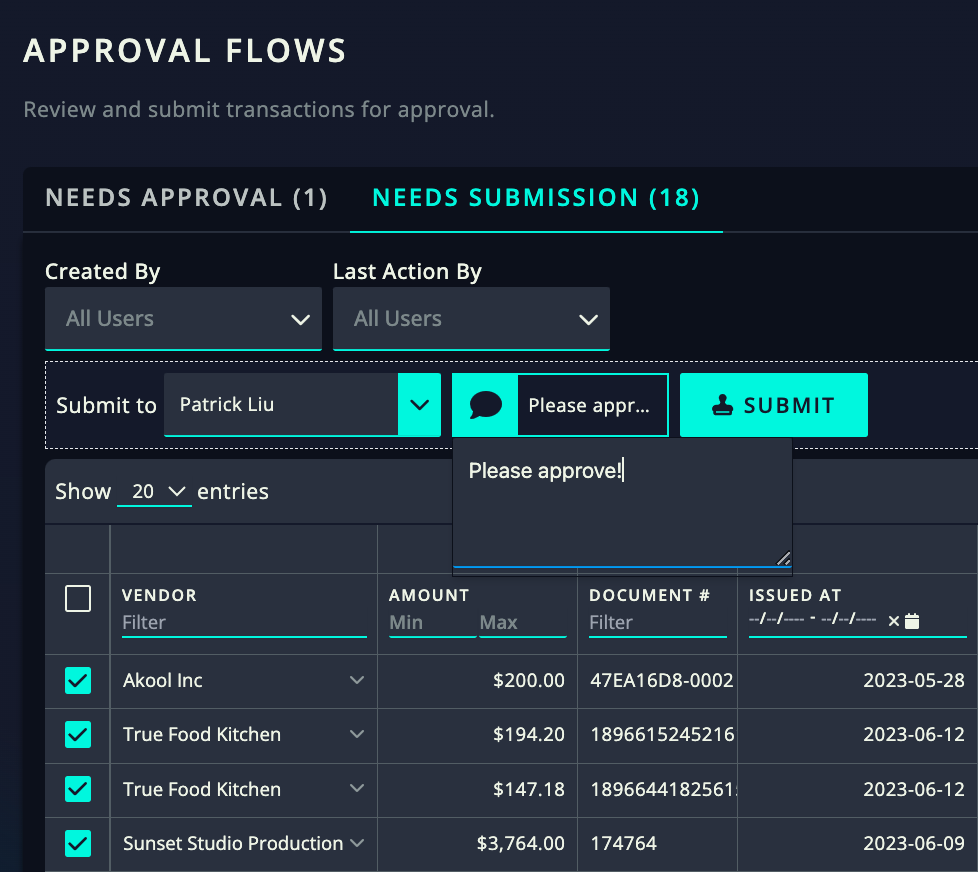
Go to the “Needs Submission” tab and all of the transactions that need to be submitted for managerial approval will show up here.
Go to the “Needs Submission” tab and all of the transactions that need to be submitted for managerial approval will show up here.
-
To bulk submit, select the transactions you’d like to submit and then select “Submit” to complete the process. Please note:
-
The manager that will be approving the transaction will automatically be selected (since it has already been configured by the super admin).
-
You can also add a note!
-
To bulk submit, select the transactions you’d like to submit and then select “Submit” to complete the process. Please note:
The manager that will be approving the transaction will automatically be selected (since it has already been configured by the super admin).
The manager that will be approving the transaction will automatically be selected (since it has already been configured by the super admin).
You can also add a note!
You can also add a note!